The Document Forensics Glossary, in Plain English
Fifty-plus terms from PDF structure, image forensics and the signature world, defined for the person reading a forensic report rather than writing one — including what each one does not mean.
Document forensics has a vocabulary problem. Half the terms come from the PDF specification, a quarter from image processing, and the rest from the fraud-investigation world, and a lot of them sound like they mean something they do not. "Digital signature" is the worst offender — it means one thing to a lawyer and something almost unrelated to a cryptographer, and people sign contracts on the strength of the confusion.
This is a plain-English glossary of the terms that actually come up. It is written for the person who has been handed a forensic report and needs to know what it is claiming, not for the person who wrote it. Where a term is regularly misunderstood, we say what it does not mean, because that is usually the more useful half.
Key takeaways
- The distinction that causes the most trouble is between an electronic signature (an image of a name) and a digital signature (cryptography that detects change).
- Metadata describes what a file claims about itself; structure is what the file actually is. Structure is much harder to fake convincingly.
- Almost every detection technique in this list produces indications rather than proof, and any report that claims otherwise is overselling.
The file itself
Metadata — Data a file carries about itself: author, creation date, the software that produced it. Easy to read, easy to edit, easy to remove. Useful mainly when two pieces of metadata contradict each other.
Producer — The PDF metadata field naming the software that wrote the file. A payroll system, a scanner, a design tool. A mismatch between the Producer and what the document claims to be is one of the oldest signals in the business.
Creator — The application the content originated in, as distinct from the Producer that wrote the final file. A document created in a word processor and produced by a printer driver has both, and they should tell a coherent story.
XMP — An extensible metadata packet embedded in the file, often carrying a history of editing operations. Because it is a separate record from the older Info dictionary, the two can disagree, and that disagreement is evidence.
Info dictionary — The original, simpler PDF metadata store. Still present in most files, still consulted, and still capable of contradicting the XMP packet next to it.
Trailer ID — A pair of identifiers written into a PDF. The first is meant to stay constant across the life of the document and the second to change on each update; when the pair behaves oddly, the file's edit history is worth a closer look.
Structure and revisions
Incremental update — A change appended to the end of a PDF rather than rewritten into it. This is how PDFs are legitimately updated, and it means an edited file frequently still contains its earlier state. The most valuable single fact about the format.
Revision — One of those earlier states, recoverable from the file. If a document has three revisions, it was saved three times after its original creation, and the differences between them can often be reconstructed.
Cross-reference table (xref) — The index telling a reader where each object in the PDF lives. Damage, inconsistency or unusual reconstruction of the xref is a structural signal.
Object — The basic unit of PDF content: a page, a font, an image, a piece of text. A PDF is a graph of objects referencing each other.
Content stream — The actual drawing instructions for a page. Reading the content stream is how you discover that a number is painted twice, or that white text sits under a black rectangle.
Layer (optional content group) — A named group of page content that can be shown or hidden. Legitimate in engineering drawings and maps; occasionally used to hide a value under a replacement.
Overlay — Content drawn on top of other content. The commonest crude alteration: a white box over the original figure and a new number typed on top.
Flattening — Merging layers, annotations and form fields into plain page content. It destroys structural evidence, which is sometimes the point and sometimes just how the software works.
Linearization — Reorganising a PDF so the first page renders before the rest downloads. Normal. Not a signal.
Signatures
Electronic signature — Broadly, any mark indicating intent to sign, including a typed name or a picture of a scrawl. Legally meaningful in most jurisdictions. Cryptographically meaningless — it detects nothing.
Digital signature — A cryptographic operation binding a signer's key to specific bytes of a document. If the bytes change afterwards, verification fails. This is the one that actually proves something.
ByteRange — The part of a signed PDF specifying exactly which bytes the signature covers. If content was appended after signing, the ByteRange does not cover it, and a report should say so explicitly.
Signed-after / appended-after-signature — Content added to a document following a valid signature. The signature can still verify perfectly while the visible document says something different from what was signed. One of the most under-appreciated findings in the field.
DocMDP — A permission setting inside a signed PDF stating what changes are allowed afterwards: none, form-filling only, or annotations. Worth reading before concluding that a later change was illegitimate.
Timestamp (RFC 3161) — A signature from an independent authority attesting that particular bytes existed at a particular time. It proves when, which the signer's own clock does not.
Certificate chain — The sequence of certificates linking a signer to an authority somebody has decided to trust. A self-signed certificate is cryptographically fine and evidentially weak: it proves the same person signed twice, not who they are.
PAdES — The European standard profile for PDF Advanced Electronic Signatures, defining how long-term-valid signatures are built.
Images and pixels
ELA (error level analysis) — Re-saving an image at a known compression quality and comparing it to the original, to reveal regions with different compression history. Widely used, widely over-interpreted. Bright areas mean different, not edited.
JPEG ghost — A related technique that sweeps compression qualities to reveal a region previously saved at a different quality — often a patch pasted in from another file.
Quantization table — The table of coefficients a JPEG encoder uses. It effectively fingerprints the software and quality setting that produced an image, and it is how you catch a "camera original" that was actually exported by an editor.
Copy-move forgery — Cloning one part of an image over another, typically to duplicate or conceal something. Detectable because the two regions share statistically improbable similarity. Our longer piece covers it properly.
Noise residual — The high-frequency sensor texture a real capture carries. Smooth, noiseless regions inside an otherwise noisy image suggest something was painted or pasted.
Resampling artifact — Traces left by scaling or rotating part of an image, which disturbs the regular pixel grid in ways statistics can pick up.
Effective DPI — The real resolution of an image once it is placed on a page. A "scan" whose effective resolution is far too low or suspiciously exact is worth a question.
Documents and origin
Provenance — Where a document actually came from, derived from its content and structure rather than from what it says about itself.
Native digital — Generated directly by software, with real text and vector content.
Searchable scan — A scanned image with an invisible text layer added by OCR. Note that the invisible layer can be edited independently of the visible image, and they can be made to disagree.
Image-only capture — A page that is a photograph or scan with no text layer. Structurally uninformative, which is exactly why fraud sometimes arrives this way.
OCR — Optical character recognition: turning pixels into text. It reads. It does not verify. We wrote a whole comparison on why that distinction matters.
MRZ — The machine-readable zone on a passport or ID card, with check digits that let you validate it arithmetically.
C2PA / Content Credentials — An open standard for cryptographically signed provenance attached to media, recording how a file was created and edited. Strong when present; absence proves nothing, since most files simply do not carry it.
Fraud and process
Synthetic identity — A fabricated person assembled from real and invented details, with no victim to notice. The long version.
Document mill / template economy — The commercial supply of editable templates and generated documents. It is why a "one-off" forgery often turns out to be the four hundredth copy of a template.
Corroboration — Independent evidence pointing the same way. The organising principle of any serious verification process: one strong signal should rarely convict alone.
False positive — A genuine document flagged as suspect. Cheap to talk about, expensive to cause — it damages real customers and trains staff to ignore alerts.
Chain of custody — The documented history of who held a piece of evidence and what they did to it. Without it, findings are hard to rely on in a dispute.
Verdict versus action — A distinction worth insisting on: whether a document appears authentic is a question about evidence; whether to approve, review or decline is a business decision about risk. Systems that merge the two produce arguments nobody can resolve.
Frequently asked questions
What is the difference between an electronic signature and a digital signature?
An electronic signature is any mark showing intent to sign, including a typed name or an image of a handwritten one — legally valid in most places, but it detects nothing if the document is changed. A digital signature is cryptography bound to the document's bytes, and it fails verification if a single byte changes afterwards.
Does metadata prove when a document was created?
No. Metadata records what the producing software wrote, and it can be edited or stripped afterwards. It becomes evidence when it contradicts something else — another metadata field, the file's structure, or a fact you know independently.
Is error level analysis reliable?
It is an interpretation aid, not a detector. ELA highlights regions with a different compression history, which has plenty of innocent causes. It is useful for directing attention and unsafe as a sole basis for a conclusion.
What does it mean when a signed document was "modified after signing"?
Content was appended to the file after the signature was applied. The signature may still verify correctly, because it only covers the bytes that existed when it was made — so the document a reader sees can legitimately differ from the document that was signed.
Check the PDF you are holding
Run a free PDF X-Ray in your browser — it recovers text from the file’s earlier revisions, so you can see what a value was before it was changed. No account needed.
Keep reading
What the Standards Prove: PAdES, eIDAS, C2PA and PDF/A
Only one of these detects a change to a document. What each standard actually asserts, where signatures stop covering the file, and why a missing set of content credentials proves nothing at all.

When Was This Really Made? A Field Guide to Document Time
Documents carry more clocks than people expect — and fraud usually breaks at least one. Where timestamps live, which ones lie easily, and how to read them together.
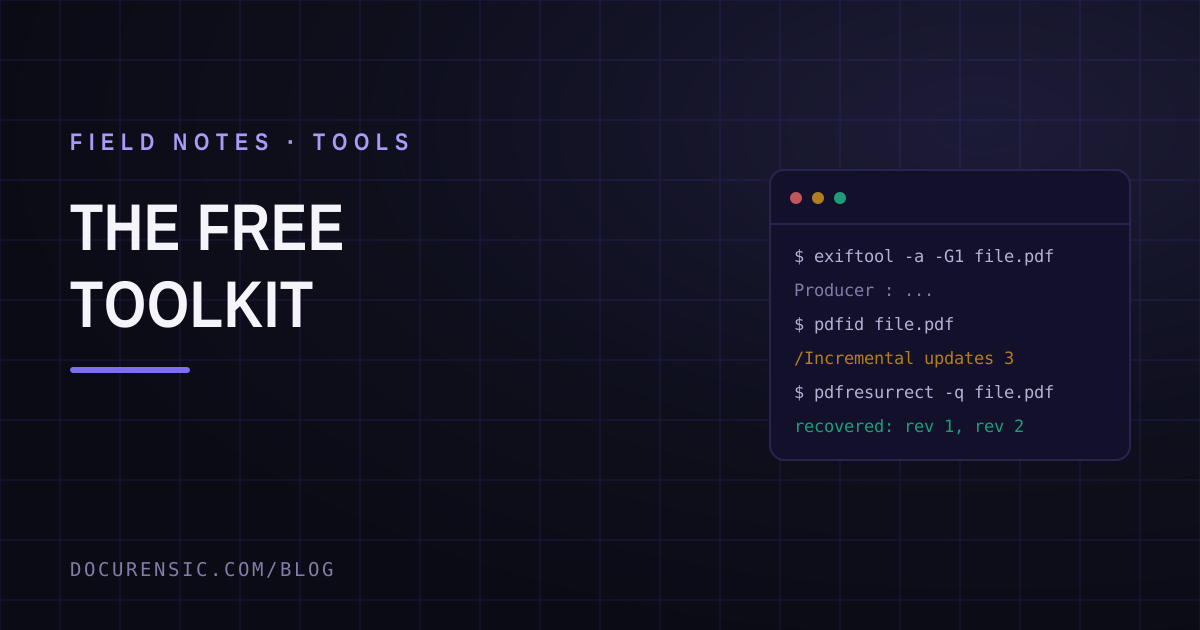
The Free Document Forensics Toolkit
ExifTool, pdfid, qpdf, mutool, FotoForensics and the rest — what you can genuinely establish about a suspicious document with software that costs nothing, in what order, and the four things free tooling cannot do.