The Free Document Forensics Toolkit
ExifTool, pdfid, qpdf, mutool, FotoForensics and the rest — what you can genuinely establish about a suspicious document with software that costs nothing, in what order, and the four things free tooling cannot do.
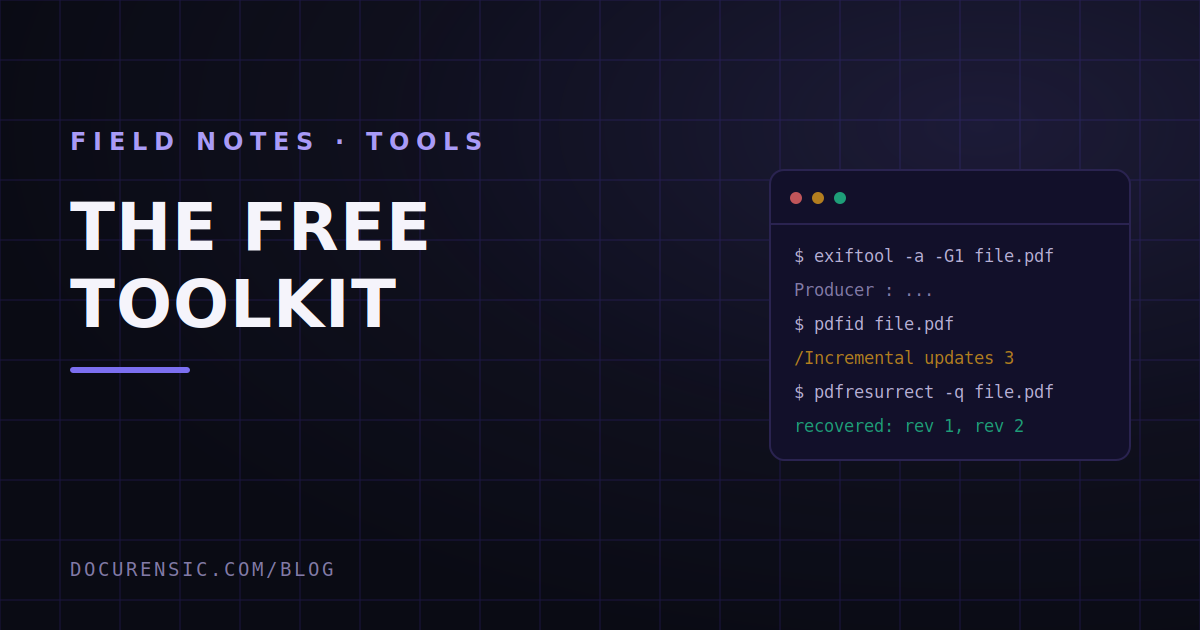
Somebody sends you a PDF that smells wrong. You have no budget, no procurement cycle, and a decision to make this afternoon. What can you actually find out with software that costs nothing?
More than most people expect. Not everything — and the gap between "more than expected" and "everything" is the interesting part of this article — but a genuinely useful amount. The tools below are the ones working investigators, journalists and fraud analysts reach for, and every one of them is free to use. We use several of them ourselves; two of the sections below describe things our own engine does internally, and we will say so where that is true.
Key takeaways
- Free tooling is excellent at reading a file's structure — metadata, revisions, fonts, embedded objects — and that is where most amateur forgeries fall over.
- It is weak at judgement. Every tool here reports facts and leaves the interpretation to you, which is fine if you know what normal looks like and dangerous if you do not.
- The single highest-yield free check on a PDF is its revision history, because an edited document frequently still contains what it used to say.
- No free tool corroborates across documents, and cross-document contradiction is where real cases are usually won.
Start with the metadata: ExifTool
ExifTool is the closest thing this field has to a universal opener. Phil Harvey has maintained it since 2003, it reads well over a hundred file formats, and it will tell you more about a file in one command than most commercial dashboards will show you in a session.
exiftool -a -G1 -s suspicious.pdf
What you are looking for is disagreement. A PDF carries dates in at least two places — the Info dictionary and the XMP packet — and honest software keeps them consistent. A file whose XMP history says it passed through an image editor while its Producer string claims a bank's statement generator is telling you two incompatible stories. On photos, the same command gives you camera make and model, the original capture time, GPS coordinates if they were not stripped, and the editing software trail.
The limits are worth stating plainly. Metadata is trivially removable and trivially forgeable. A blank metadata block is not evidence of anything except that somebody ran a cleaner, and plenty of legitimate corporate workflows strip metadata by policy. Absence proves nothing. Contradiction proves quite a lot.
Read the PDF's guts: pdfid and pdf-parser
Didier Stevens has been publishing PDF analysis tools for the better part of two decades, and they remain the standard first look at a PDF's internals. pdfid gives you a one-screen census: how many objects, how many pages, whether there is JavaScript, whether there are embedded files, whether there is an /OpenAction that runs on open, and — the one that matters most for our purposes — how many times the file has been incrementally updated.
pdf-parser then lets you walk into any object you found interesting.
That incremental-update count is the free check with the highest hit rate in the whole toolkit. PDFs can be modified by appending to them rather than rewriting them, which means an edited file often still contains the earlier version, byte for byte. If a document that should have been produced once by a payroll system shows three revisions, somebody changed something after it was issued, and the earlier state may still be sitting in the file. We wrote about what a PDF remembers at length, because it is the single most under-used fact about the format.
pdfresurrect is the companion tool here — it extracts those earlier revisions into separate files you can open and compare side by side.
Normalise and inspect: qpdf and mutool
qpdf converts a PDF into a readable, uncompressed form so you can look at the actual page-content instructions instead of a wall of binary:
qpdf --qdf --object-streams=disable in.pdf readable.pdf
That is how you find text that is painted on top of other text, content drawn in white on white, or a value that is rendered by an overlay rather than by the original page. mutool from the MuPDF project does the complementary job — mutool info lists every font and image the file actually uses, which is how font substitution gets caught. A document where one figure is set in a font that appears nowhere else in the file is a document where one figure was retyped.
Look at the pixels: FotoForensics
FotoForensics has offered free error-level analysis in the browser for years, and it is the fastest way to get a second opinion on a photograph or a scanned page. Neal Krawetz, who runs it, is also refreshingly honest in his own documentation about what ELA can and cannot show — which is more than can be said for a lot of paid products.
Two warnings, both important. First, ELA is an interpretation aid, not a detector; bright regions mean different compression history, and different compression history has innocent causes constantly. Second, and more practically: anything you upload there is public. Do not put a customer's bank statement into a public analysis service. That constraint is why we built the equivalent lenses into our own image forensics workspace instead of pointing people at a public one.
Check the sender, not just the file
Most document fraud arrives attached to something. The envelope is usually easier to disprove than the contents.
Email headers carry a delivery chain that the sender cannot rewrite retroactively — each hop is stamped by the receiving server, not the claimed sender. Our email header analyzer is free and needs no account; MXToolbox is the long-standing alternative and also checks whether a domain's SPF and DMARC records exist at all. For the domain itself, an RDAP lookup gives you a registration date, and a domain registered eleven days before an invoice arrives from it is a finding on its own. Our URL checker does the RDAP, DNS and TLS work in one pass.
VirusTotal rounds this out for attachments and links — with the same caveat as FotoForensics, and it is a serious one: uploads are shared with the security industry. Submit a hash rather than a file when the document is confidential.
What free tooling cannot do
This is the honest part, and it is the reason our own product exists, so read it with that in mind.
It does not corroborate. Every tool above examines one artifact in isolation. Real cases usually turn on a contradiction between things: the invoice's bank details against the ones on file, this applicant's pay stub against the four other applications that used the same template, a claimed employer against a company registry. No free tool holds two documents in mind at once.
It does not calibrate. pdfid will happily tell you a file has three incremental updates. Whether three is alarming depends entirely on what produced it — for a document that went through an e-signature platform, three is completely normal, and for a bank statement it is not. The tools give you the number. The judgement is yours, and mis-calibrated judgement produces false accusations, which are worse than misses.
It does not scale. Everything here is a per-file, human-in-the-loop process taking ten to forty minutes by someone who knows what they are doing. That is fine for the one document you are suspicious about. It is not a control for the four hundred that arrive each week.
It does not maintain a chain of custody. If the document might end up in a dispute, the sequence of what you did and when starts to matter. Ad-hoc command-line work leaves no record anyone can rely on.
A sensible order to work in
exiftoolfor the claimed story — who made it, when, with what.pdfidfor structure and revision count.pdfresurrectorqpdfif the revision count is above one, to recover what changed.mutool infofor the font and image inventory.- Pixel-level lenses only if there is a photograph or a scan in play.
- The envelope — headers, domain age, DNS — in parallel with all of it.
- Then, and only then, form a view. Write down what you found and what would change your mind.
That last step is not decoration. The discipline of writing "I believe this because X, and I would be wrong if Y" is what separates an analysis from a hunch, and it is the thing that survives contact with a lawyer.
Where we fit
Our free PDF X-Ray runs the structural half of this list in a browser, with nothing installed and nothing stored — it reports revisions, layers, fonts and hidden content in one pass. It exists because that first structural look is the part that is both mechanical and genuinely useful, and there was no reason to keep it behind a login.
The paid product is the corroboration, the calibration and the record. If your problem is one suspicious file this afternoon, use the free tools; they are excellent and the people who make them deserve the traffic. If your problem is four hundred files a week and no way to tell which forty deserve a human, that is a different problem and free tools will not solve it.
Frequently asked questions
What is the best free tool to check if a PDF was edited?
pdfid from Didier Stevens' PDF tools, because it reports how many times the file was incrementally updated — the most reliable structural sign of post-issue modification. Follow it with pdfresurrect to extract the earlier revisions and see what changed.
Can ExifTool tell me if a document is fake?
No. It tells you what the file claims about itself. That claim is useful when it contradicts something else — a Producer string that disagrees with the XMP history, a modification date earlier than a creation date — but metadata alone never settles authenticity in either direction.
Is it safe to upload a confidential document to a free analysis site?
Usually not. Several well-known free services make submissions public or share them with the security industry by design. Read the terms before you upload anything belonging to a customer, and prefer tools that run locally or state explicitly that nothing is retained.
Do free tools work on scanned documents?
Partly. Structural analysis has much less to work with when the page is a single image, so the weight shifts to pixel-level and metadata checks. A scan is also where a lot of forgery hides precisely because it destroys the structural evidence, which is why an unexpectedly scanned document is itself worth a question.
Check the PDF you are holding
Run a free PDF X-Ray in your browser — it recovers text from the file’s earlier revisions, so you can see what a value was before it was changed. No account needed.
Keep reading
When Was This Really Made? A Field Guide to Document Time
Documents carry more clocks than people expect — and fraud usually breaks at least one. Where timestamps live, which ones lie easily, and how to read them together.
How to Tell if a PDF Has Been Edited: 6 Checks That Actually Work
Six practical checks — from metadata dates to hidden revision history — that reveal whether a PDF was modified after it was created, and what each one can and can't prove.
Chain of Custody for Digital Documents: Making Evidence Hold Up
A forensic finding is only as strong as the custody story behind the file. Hashes, handling, and documentation — how to keep digital document evidence defensible.