Choosing a Document Verification API: An Integration Guide
What a document verification API actually returns, how to wire one into your intake flow, and the questions worth asking before you commit to a provider.
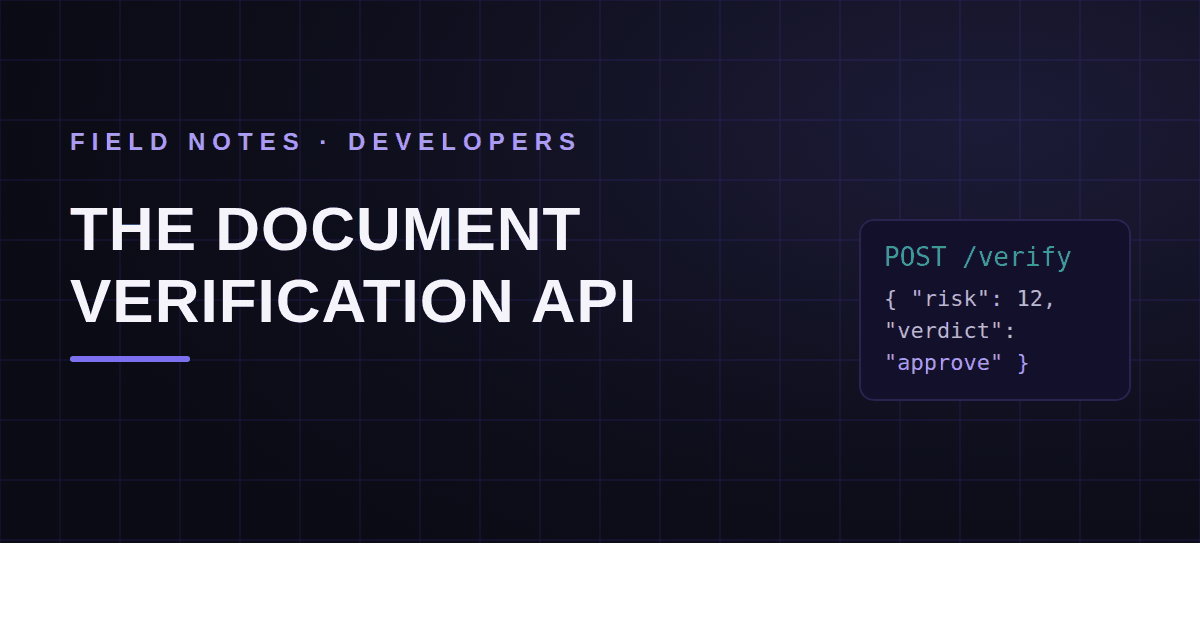
At some point, every platform that ingests documents hits the same fork. Users upload files — invoices, statements, certificates, applications — and the product needs to know whether to trust them. Building forensic checks in-house is a research project. Ignoring the problem is a liability. The third path is an API.
This guide covers what a document verification API actually does, the integration pattern that works, and how to evaluate providers without sitting through six demos.
What a document verification API does
You send a file; you get back a structured judgment. Not just the text on the page — a judgment about the file itself. Was it edited after creation? Does its internal structure match the software it claims to come from? Do the numbers reconcile? Has something like it been seen before?
That's the line between verification and extraction. An OCR or extraction API tells you what the document says. A verification API tells you whether to believe it. Products that confuse the two end up with beautifully structured data from forged documents.
The integration pattern
Nearly every provider converges on the same request shape — multipart upload, key in a header:
curl -X POST https://api.example.com/v1/analyze \
  -H "X-Api-Key: $API_KEY" \
  -F "file=@invoice_1042.pdf"
And a response that, stripped to its skeleton, looks like this:
{
  "id": "an_31c07",
  "risk_score": 72,
  "verdict": "review",
  "signals": [
    {
      "category": "structure",
      "severity": "high",
      "summary": "Content was added after the document was originally produced"
    }
  ]
}
Exact field names vary. The three parts don't: a score, a verdict, and the signals behind them.
Reading the response
The score is ordinal, not a probability. A 72 means "riskier than a 40," not "72% chance of fraud." Use scores to rank and route; don't quote them to customers as odds.
The verdict encodes thresholds. Providers collapse the score into something like pass / review / reject so your code can branch cleanly. If you can tune where those cuts sit, even better — a lender's tolerance and a marketplace's tolerance shouldn't be the same.
The signals are your audit trail. Six months from now, someone will ask why a document was declined. "The API said 72" is not an answer. "Content was added after signing, and the totals don't reconcile" is. Store the full response alongside the document, not just the headline number.
Handling the gray zone
Design for three outcomes from day one. Documents that pass flow through untouched. Documents that fail hard get declined with a reason. And the middle band — real documents with quirks, forgeries with polish — goes to a human queue.
That queue is a product surface, not a leftover. Give reviewers the signals, the relevant pages, and a one-click decision. And feed the outcomes back into your thresholds: if reviewers wave through 95% of what lands in the queue, your review band is too wide.
Sync, webhooks, and batch
For interactive flows — a user uploads a document and waits — call the API synchronously and show the result. For batch flows — nightly imports, bulk backfills — submit asynchronously and let webhooks tell you when each result is ready. Polling a results endpoint in a loop works, but it's the clumsy version of the same thing.
One practical note: make the upload path idempotent on your side. Files get resubmitted, and you want "already analyzed, here's the result" rather than a duplicate charge and a confused audit trail.
What to ask a provider before you commit
- Are the findings explainable? A bare score is unfalsifiable. You want named signals you can read back to an auditor — or a customer.
- Does it inspect the file, or just the text? Plenty of "verification" is regex on OCR output. Tamper detection lives in the file's structure, fonts, and history, not just its words.
- Which formats get deep inspection? PDFs, images, and office documents are different forensic problems. Ask what actually happens for each.
- What's the latency envelope? An interactive flow needs answers in seconds; a batch pipeline cares more about throughput.
- What happens to your documents? Retention, encryption, deletion, and who can see what — get it in writing. (Here's how we think about security.)
- Does the pricing match your shape? Per-document pricing punishes volume; flat tiers punish spikiness. Neither is wrong, but one fits your curve better (pricing here, for comparison).
Docurensic's developer API was built against exactly this checklist — explainable signals included — but honestly, whoever you pick, hold them to the list.
Frequently asked questions
Is a document verification API the same as an OCR API?
No. OCR converts pixels to text; extraction adds structure to that text. Verification judges authenticity: whether the file was tampered with, whether its structure matches its claimed origin, whether its contents reconcile. Many pipelines need both, but they answer different questions.
How accurate are document verification APIs?
Honest vendors won't quote a single accuracy number, because it depends on document type, forgery quality, and what "caught" means. Crude template fakes are easy; a careful edit to a real document is harder and shows up as elevated risk rather than certainty. That's exactly why the review verdict exists — treat the API as a sharp filter plus evidence, not an oracle.
Can we keep documents from leaving our environment?
Ask the provider about deployment and retention options. Common middle grounds: short or zero retention windows, regional processing, and contractual no-training clauses. If the answer is a shrug, keep shopping.
Check the PDF you are holding
Run a free PDF X-Ray in your browser — it recovers text from the file’s earlier revisions, so you can see what a value was before it was changed. No account needed.
Keep reading
OCR vs Document Forensics: Reading Isn't Verifying
OCR tells you what a document says. It has nothing to say about whether it's real. Why extracting a document isn't verifying it — and why you need both, in order.
Apostille vs. Legalization: Verifying Documents Across Borders
International documents carry authentication chains most reviewers have never been taught to read. How apostilles and consular legalization work — and how both get faked.
Fake Proof-of-Funds Letters: Money That Exists Only on Paper
POF letters grease real estate deals, trade transactions, and investment schemes — and they are trivially forged. What a real one proves, what a fake one costs, and how to verify.