How to Tell if a PDF Has Been Edited: 6 Checks That Actually Work
Six practical checks — from metadata dates to hidden revision history — that reveal whether a PDF was modified after it was created, and what each one can and can't prove.
If you need to know how to tell if a PDF has been edited, here's the short version: check the metadata dates, look for saved revision history inside the file, and compare the fonts. Those three checks catch most casual edits. The harder cases take a little more digging, and that's what the rest of this guide covers.
Key takeaways
- A PDF's metadata carries two date fields. When the modification date is later than the creation date, the file was saved at least twice.
- Many editors save changes by appending to the file, which means the original version is often still inside it.
- Font mixing is the classic tell of a text swap — one number in a slightly different typeface than everything around it.
- No single check proves tampering on its own. Real conclusions come from several signals agreeing.
Step 1: Read the metadata dates
Every PDF carries a creation date and a modification date. Open the file properties in any PDF reader (File → Properties in Acrobat) and compare them.
A gap between the two isn't automatically suspicious. Contracts get amended. Reports get corrected. But context matters a lot: an invoice supposedly generated by an accounting system on March 3rd that shows a modification date of March 19th — four hours before it landed in your inbox — deserves a closer look.
While you're there, check the Producer and Creator fields. An invoice that claims to come from QuickBooks but lists a photo editor as its producer is telling you something.
Step 2: Look for the file's own revision history
This is the check most people don't know exists, and it's the strongest of the lot.
PDFs support something called incremental saving. Instead of rewriting the whole file, many editors append the changes to the end and leave the original bytes untouched underneath. The viewer shows you the latest version — but the earlier version is still physically inside the file.
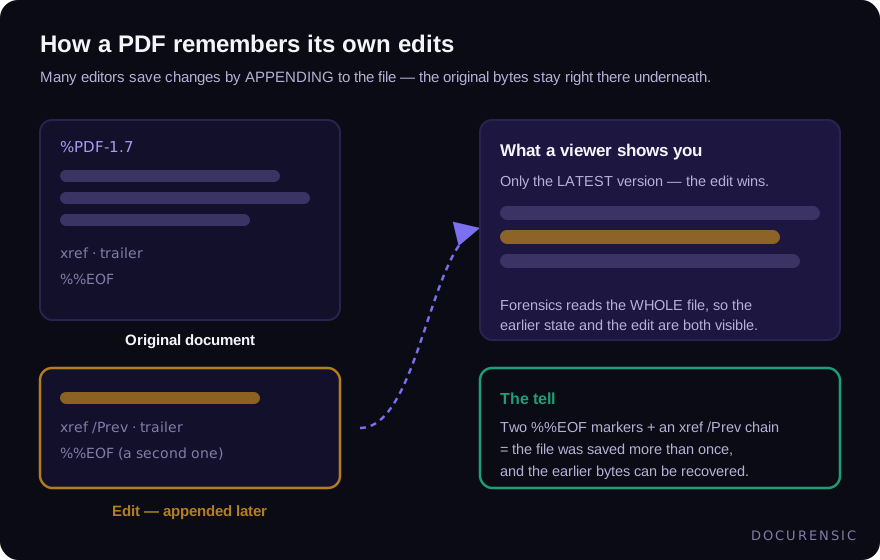
You can spot this without special software: open the PDF in a plain text editor and search for %%EOF. That marker ends a PDF. If it appears more than once, the file was saved more than once, and everything between the markers is recoverable history. Forensic tools go further and reconstruct what the document looked like before each save — which is exactly how an altered amount or a swapped name gets caught.
Step 3: Compare the fonts
When someone edits a number in a PDF, their editor rarely has the document's exact original font. It substitutes the closest match, and the result is a document where one line — sometimes one character — is set in a font that's 98% identical to its neighbours.
You won't always see it by eye. What you can do is inspect the font list (in Acrobat: File → Properties → Fonts). A one-page invoice that embeds six subsets of the same typeface is odd; most generators use one or two. Automated font forensics does this comparison per character, which is how a swapped digit gets flagged even when it looks perfect.
Step 4: Follow the producer chain
Documents have believable life stories. A payslip exported from payroll software reads as one clean generation: one producer, one creation event, no editing traces. The same payslip that passed through a PDF editor twice, or was printed and re-scanned, carries traces of every stop.
Ask whether the story fits the document. Why would a machine-generated receipt need a manual editing pass? There are innocent answers — someone flattened it, stamped it "paid", merged it into a pack. The point isn't that editing traces equal fraud. It's that traces which don't fit the document's supposed origin are worth explaining.
Step 5: Check the images inside
Scanned documents and photo-heavy PDFs need a different lens. When a region of an image has been pasted over — a new total glued onto a receipt photo, for instance — the patch usually carries a different compression history from the rest of the picture. Techniques like error level analysis make that difference visible, though they take some judgement to read (we wrote a separate piece on ELA because it's so often over-interpreted).
Resolution seams are the low-tech version: paste a crisp 300-DPI number onto a soft 150-DPI scan and the boundary is measurable, even when it isn't visible.
Step 6: Accept what a clean result means
Here's the part most guides skip. A document that passes every check isn't proven authentic — it's a document with no detectable editing traces. A fraudster who regenerates a fake invoice from scratch in the original tool leaves no edit history, because nothing was edited.
That's why the checks above should feed a wider process: does the vendor exist, do the bank details match previous invoices, does the story hold together? Our guide to document fraud detection covers that bigger picture.
Frequently asked questions
Can you tell if a PDF was edited after it was signed?
Usually, yes. A digital signature covers a specific byte range of the file; changes made after signing either break the signature outright or land in an incremental update after the signed range, which viewers and forensic tools can isolate.
Does printing and re-scanning a PDF hide the edits?
It destroys the digital editing traces, but it replaces them with a different problem: the document now claims to be an original while carrying scanner metadata and image artifacts instead of clean generator output. That mismatch is itself a signal — and image-level checks still apply.
Is a modification date by itself proof of tampering?
No. Files get re-saved for lots of legitimate reasons — flattening, stamping, merging. Treat the date gap as a reason to look deeper, not as a conclusion.
What's the fastest way to run all these checks at once?
Run the document through an automated scanner. Docurensic runs the structural, metadata, font and image checks in one pass and returns a plain-English verdict in seconds, with each finding explained so you can verify it yourself.
Check the PDF you are holding
Run a free PDF X-Ray in your browser — it recovers text from the file’s earlier revisions, so you can see what a value was before it was changed. No account needed.
Keep reading
When Was This Really Made? A Field Guide to Document Time
Documents carry more clocks than people expect — and fraud usually breaks at least one. Where timestamps live, which ones lie easily, and how to read them together.
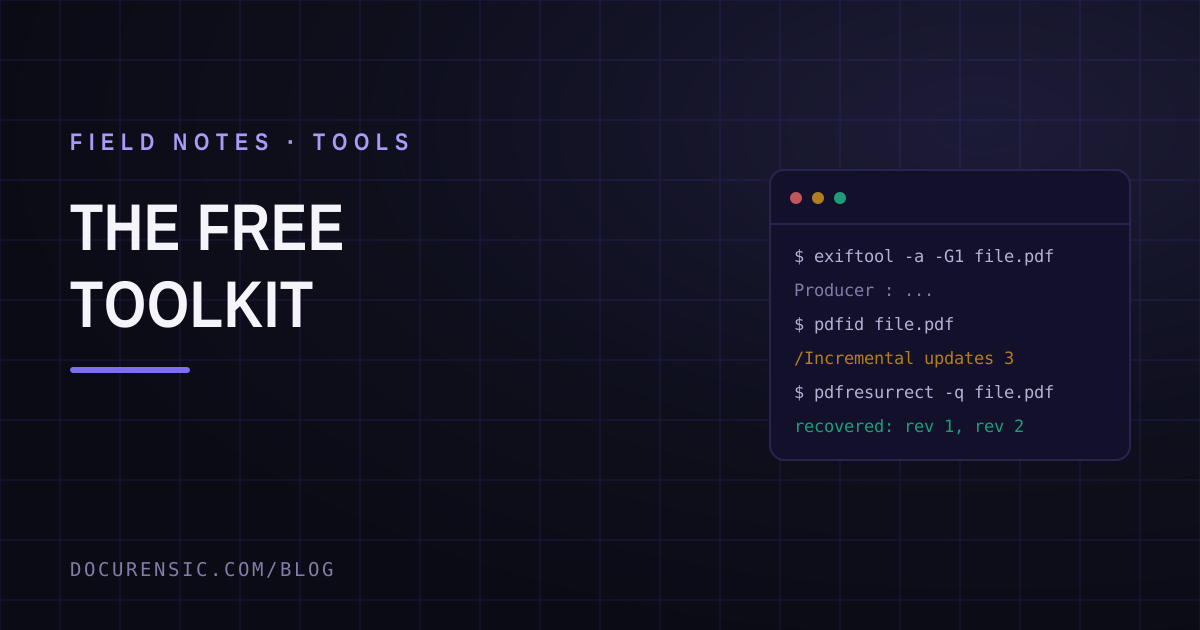
The Free Document Forensics Toolkit
ExifTool, pdfid, qpdf, mutool, FotoForensics and the rest — what you can genuinely establish about a suspicious document with software that costs nothing, in what order, and the four things free tooling cannot do.
Chain of Custody for Digital Documents: Making Evidence Hold Up
A forensic finding is only as strong as the custody story behind the file. Hashes, handling, and documentation — how to keep digital document evidence defensible.