One Character Off: How Lookalike Domains Get Paid
The most effective domain in payment fraud is not a hacked one. It is a real domain, correctly configured, that differs from your supplier's by a single character nobody reads.
The finance team did everything they were told to do. They checked the sender. They looked at the padlock. They confirmed the message had passed its authentication checks — their mail gateway said so in a tidy green banner. Then they updated the supplier's bank details and paid the next invoice into an account belonging to somebody they have never met.
The domain was acme-supplies.com. Their supplier's domain is acmesupplies.com. One hyphen.
Key takeaways
- A lookalike domain is not a compromise of anything. It is a domain the attacker legitimately owns, correctly configured, which is why every authentication check passes.
- Human reading is the vulnerability: we recognise word shapes rather than reading characters, so
rn/mandl/Isubstitutions are invisible at normal sizes. - The cheapest and most effective controls are structural — a supplier's domain recorded once and compared automatically, and a payment-change process that never uses the channel the request arrived on.
- Registration age is the single most useful number: these domains are bought days or weeks before they are used.
Why every technical check passes
This is the part that catches organisations out, because it feels like the security stack has failed. It has not. It is answering a different question from the one being asked.
SPF, DKIM and DMARC all establish the same basic thing: that a message genuinely originated from the domain in the From address, with that domain owner's blessing. An attacker who registers acme-supplies.com owns that domain. They publish an SPF record. They set up DKIM signing. They add a DMARC policy. Every one of those records is theirs to write, and every check will pass — because the message really did come from acme-supplies.com.
The same is true of the certificate. A free domain-validated certificate is issued in ninety seconds to whoever controls the domain, so the phishing page has a padlock exactly like the real one. We wrote about what that padlock actually proves, and the answer is: much less than people assume.
Authentication answers "is this domain really the sender?" It has never answered "is this domain the one I meant?" Nothing in the mail protocols even has an opinion about the second question, because only you know who you were expecting to hear from.
The reading problem
Skilled readers do not read letters. They recognise word shapes, use context to fill gaps, and move on — which is what makes reading fast and what makes proofreading your own writing so difficult.
Domain names exploit this perfectly, because they are read as one shape in a context that has already told you what to expect.
The substitutions that work best are the ones with no perceptual difference at normal sizes:
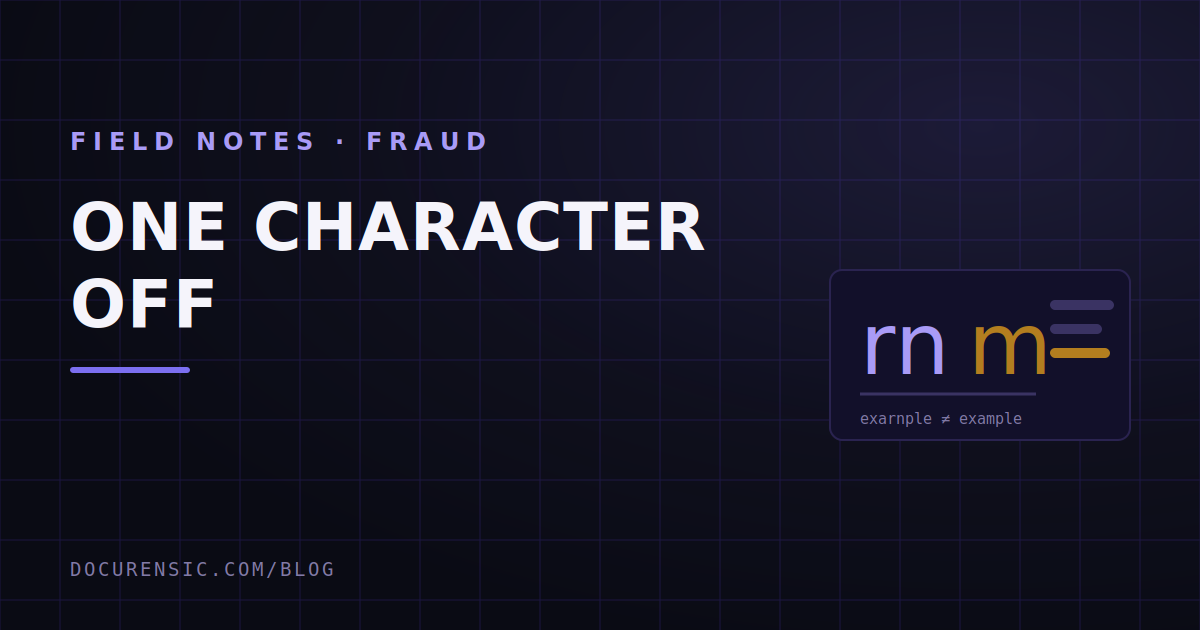
rnform— the classic. At 14 pixels these are the same shape.lforIfor1— in most sans-serif faces these are identical or nearly so.0forO,vvforw,clford.- A doubled letter —
accme,suppplies. The eye normalises it. - A dropped letter in a long word nobody spells out.
Then there are the variants that require no perceptual trick at all, only inattention:
- Hyphenation:
acme-supplies.comversusacmesupplies.com. - A different top-level domain:
.cofor.com,.netfor.com, or one of the hundreds of newer endings. - An added word that sounds official:
acme-billing.com,acmesupplies-invoices.com. - Subdomain deception:
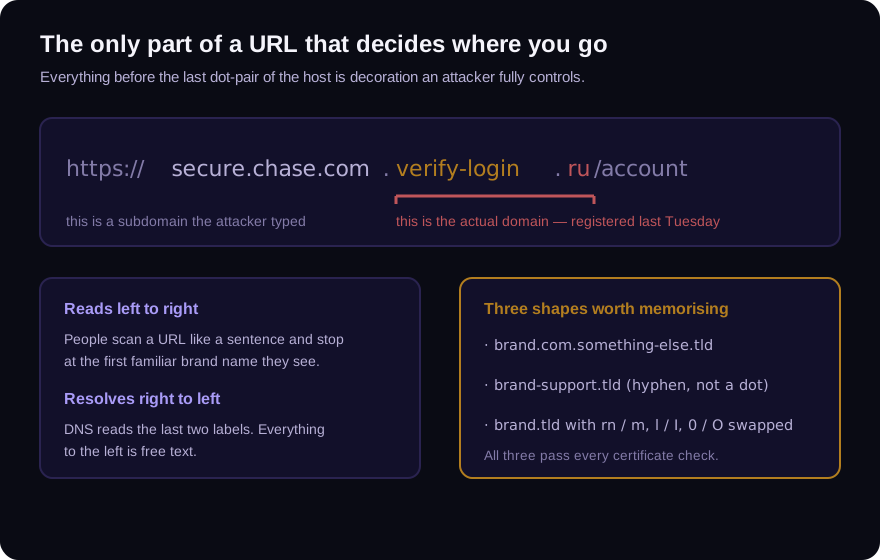
acmesupplies.com.billing-portal.net, where the real domain isbilling-portal.netand the recognisable part is decoration.
That last one deserves emphasis. People read a URL left to right and stop at the first familiar brand. DNS resolves it right to left, and only the final two labels decide where anything goes. Everything to the left of that is free text the attacker typed.
Internationalised domains add a further layer — Cyrillic and Latin share visually identical characters, and a homograph attack can produce a domain that is byte-different but pixel-identical. Browsers now defend against the worst cases by showing the punycode form, but the defence is partial and depends on the script mix.
What the attack actually looks like
The technique is boring. The operation around it is not.
Reconnaissance. The attacker gets inside a mailbox somewhere in the chain — often not yours and not your supplier's, but a broker, a freight forwarder, an accountant, someone with visibility of both sides. They read. They learn the names, the invoice numbers, the payment terms, the tone of voice, and crucially the timing.
Registration. They buy a near-miss domain. Increasingly they buy near-misses of both companies, so they can sit in the middle and write convincingly in either direction.
Patience. They wait for a real invoice cycle. The intervention lands inside a conversation that was already happening, about a payment that was already expected, for an amount that is already correct.
The ask. A short, unremarkable message: our bank has changed, please use the attached updated details for this invoice. Often with a plausible reason — a new banking partner, an audit, a restructure. Sometimes with a forged bank letter attached, which is where the document side of this becomes our problem.
The amount is usually right. The invoice number is usually right. The only thing that changed is the account, and one character in the domain.
Controls that work
Awareness training is the weakest control here and it is the one most organisations rely on. People miss a hyphen because human beings miss hyphens, and telling them to try harder does not change the perceptual system.
The controls that actually hold are structural.
Record the supplier's domain once, and compare mechanically. A human comparing two domain strings will fail eventually. A stored exact value compared automatically will not. This is a five-minute change to a vendor record and it removes the entire perceptual class of attack.
Never verify a payment change through the channel it arrived on. Not by replying. Not by using the phone number in the signature. Call the number you already had, from the contract or from a previous statement. This one rule defeats the attack even when every technical control was fooled. The mechanics are in the 60-second bank detail check.
Flag first-time-seen sending domains. Most mail platforms can mark a message from a domain nobody at the organisation has corresponded with before. It is a small banner and it is remarkably effective, because the whole attack depends on the domain feeling familiar.
Check registration age on anything that touches money. These domains are bought shortly before use — buying years in advance means paying for infrastructure that might get blocked before it earns anything. A domain in an active payment conversation that was registered eleven days ago has stopped being a coincidence.
Treat the attached bank letter as a document, not as confirmation. It is a PDF someone produced. It has metadata, structure and possibly a revision history, and it is frequently the weakest artifact in the whole operation — because forging a convincing bank letter is much harder than registering a domain.
The verification step people skip
When a payment-change request arrives, the domain is the fastest thing to check and almost nobody checks it, because checking it properly means looking at registration data rather than at the string.
Our free URL checker will take a bare domain and tell you when it was registered, who by, what mail policy it publishes, what certificate it presents and when that was issued — without you visiting anything. A supplier domain registered fourteen years ago with a full mail configuration looks nothing like a supplier domain registered last Tuesday, and the difference takes about ten seconds to see.
The attacker is relying on you reading the name instead of looking it up. That is the entire trick.
Frequently asked questions
How do I check if a domain is a lookalike?
Compare it character by character against a known-good value — ideally from your own records rather than from another email — and check its registration date. A domain registered recently that closely resembles an established one, in the middle of a payment conversation, is the shape to act on.
Why didn't our email security catch it?
Because there was nothing technically wrong with the message. Authentication checks confirm a message came from the domain it claims, and the attacker genuinely owns the lookalike domain. The controls worked; they answered a question about the domain's identity, not about whether it was the domain you expected.
Is registering a lookalike domain of my company illegal?
Registering a confusingly similar domain in bad faith can be challenged through dispute processes and is often actionable under trademark law, but that is a remedy after the fact and it takes weeks. It does not help during the payment cycle the attacker chose.
Should we buy up the lookalikes of our own domain?
Defensively registering the closest few variants is common and cheap, and it is worth doing for the most obvious substitutions. It cannot be exhaustive — the space of plausible near-misses around any brand is effectively unlimited — so treat it as friction, not as a control.
Check the email you are holding
Paste a raw message header into the free analyzer to see its authentication results and the route it actually travelled. No account needed.
Keep reading
Trust Seals and Badges: The Cheapest Credibility Online
A trust seal is a picture. Copying a picture takes one right-click. Yet a row of badges in a website footer still moves purchase decisions more than almost anything else on the page.
Fake Proof of Payment: The Screenshot That Buys Three Days
Nobody fakes a payment to steal money. They fake it to buy time — long enough to collect the goods and be somewhere else when the bank tells you nothing arrived.
The Padlock Lies: What HTTPS Actually Proves
The padlock is the most misunderstood symbol on the internet. It certifies the pipe, not the shop — and almost every phishing page you will ever see has one.